 Duplicate Photo FinderFree for Windows
Duplicate Photo FinderFree for Windows
Duplicate Photo FinderFree for Windows
The paid tools make you pay to delete. The old free ones are abandoned and delete for good. Duplicate Photo Finder is free forever, catches similar shots too — burst frames, resized messenger copies, screenshots, edited versions — and moves copies to the Windows Recycle Bin with one-click Undo. Nothing is ever lost.
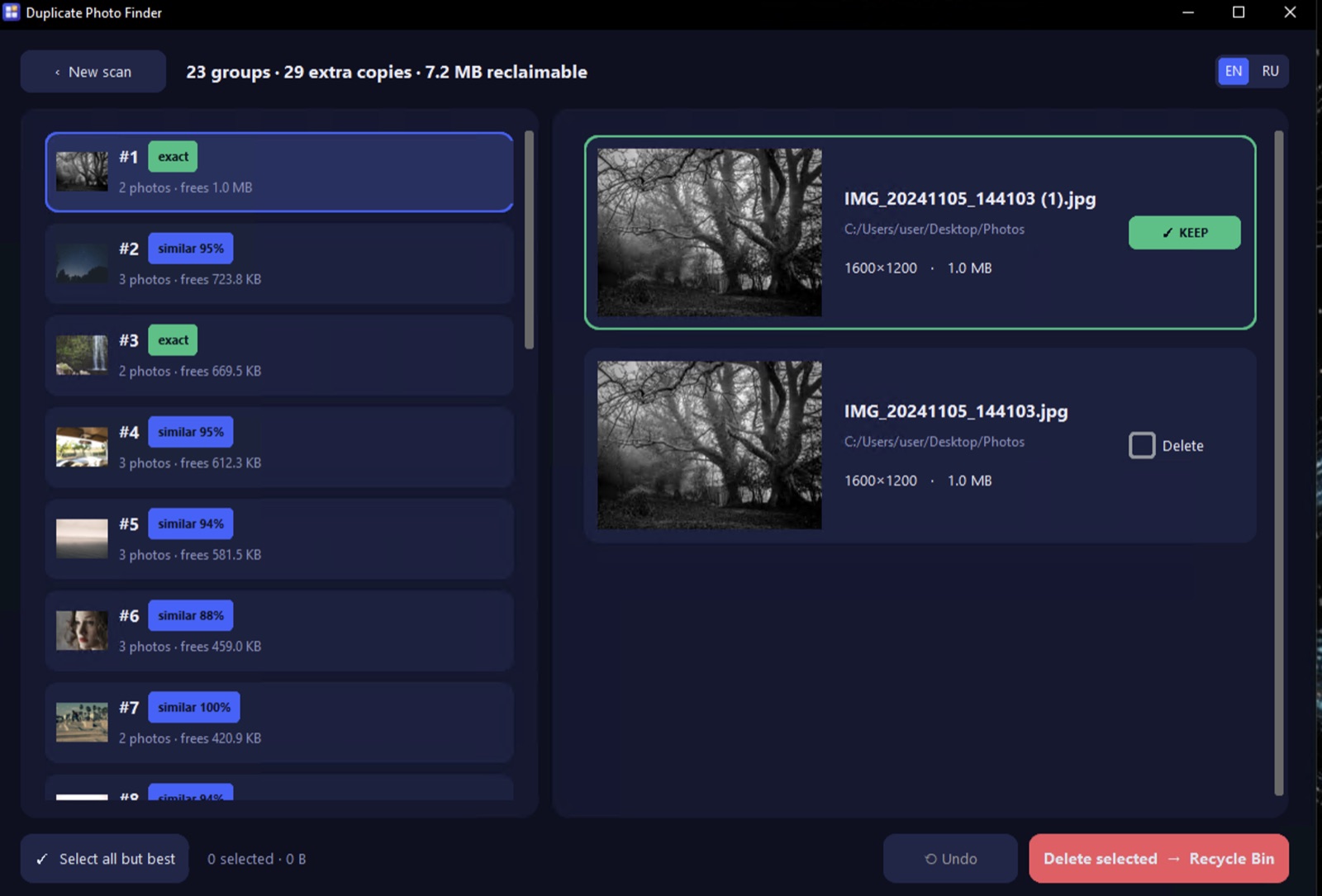
No trial, no locked Pro, no delete limit, no watermark, no ads. The delete button costs nothing. Free forever.
No upload, no account, no telemetry. Your photos never leave your PC. Unplug the internet and it still works.
Nothing is hard-deleted. Copies go to the Windows Recycle Bin with one-click Undo, and the sharpest original is kept.
Every other "free" duplicate photo cleaner scans for free, then locks the Delete button behind Pro. Not here. There is nothing to unlock, nothing to crack, and no license key to hunt for.
Three steps. No manual, no cloud, no guessing which copy is the good one.
Add one folder or your whole Pictures library. Choose Similar photos or Exact duplicates, toggle subfolders, and set how strict the match should be.
The scan finds identical files and visually similar shots — burst frames, resized copies, screenshots and edits. A smart cache makes re-scans near-instant on huge libraries.
The sharpest, highest-resolution copy is auto-kept. Hit Select all but best, glance at the side-by-side preview, and the extras move to the Recycle Bin — with Undo.
A basic duplicate image finder only catches byte-for-byte copies. Real clutter is the ten near-identical shots from one moment. Duplicate Photo Finder compares what the photos look like, groups the look-alikes, and marks the sharpest one to keep.
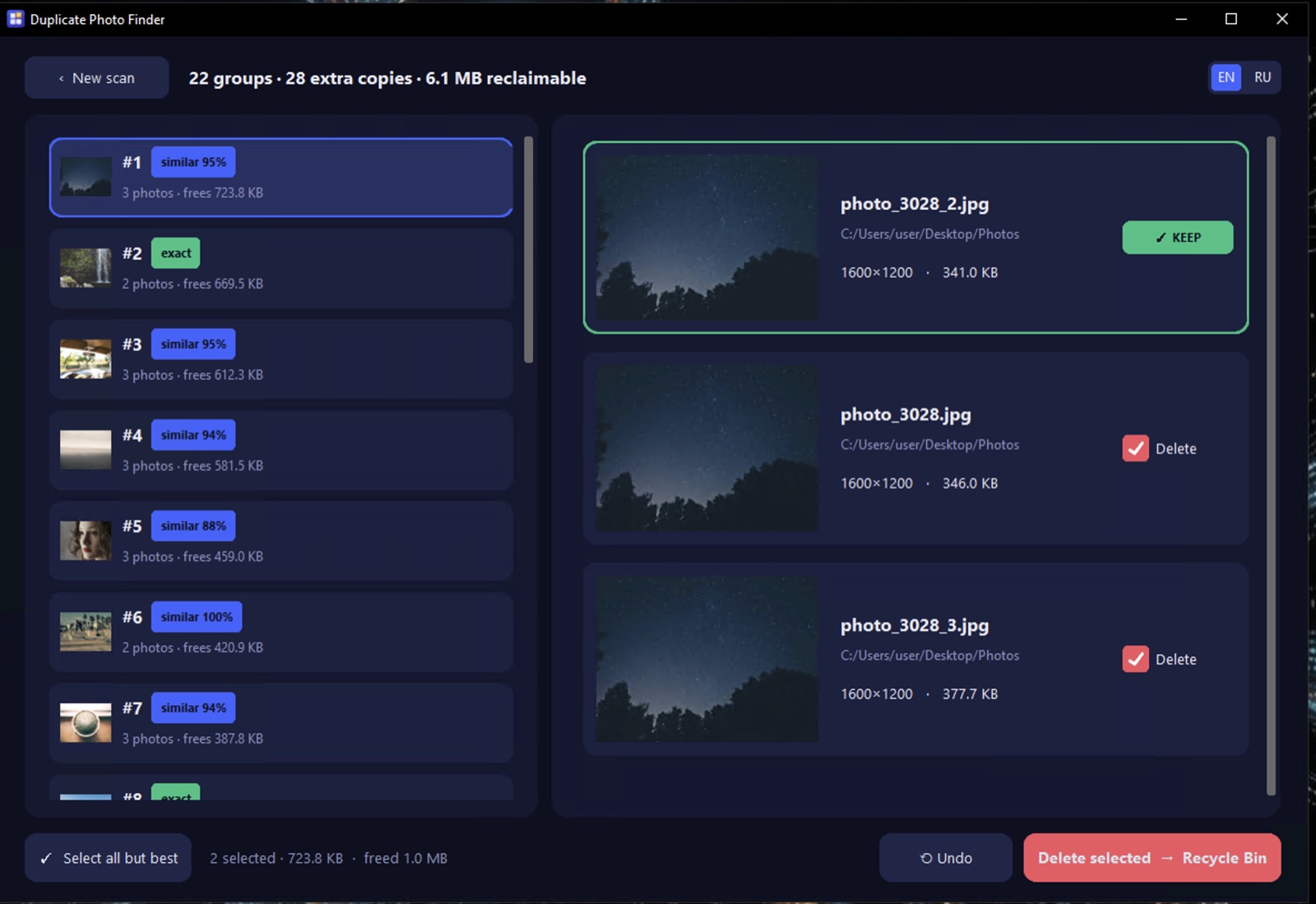
A burst group: the sharpest frame is kept, the near-duplicates are queued — you just confirm.
"Free to delete" should never mean "delete a memory by mistake." Every safeguard is on by default, so the one photo you actually wanted is never the one thrown away.
Nothing is hard-deleted. Copies move to the Windows Recycle Bin, so they're recoverable at any time.
Changed your mind? A single Undo brings the whole last batch straight back.
You see both photos next to each other before anything moves. You approve every pick.
Auto-keep protects the sharpest, highest-resolution copy — a whole group is never wiped.
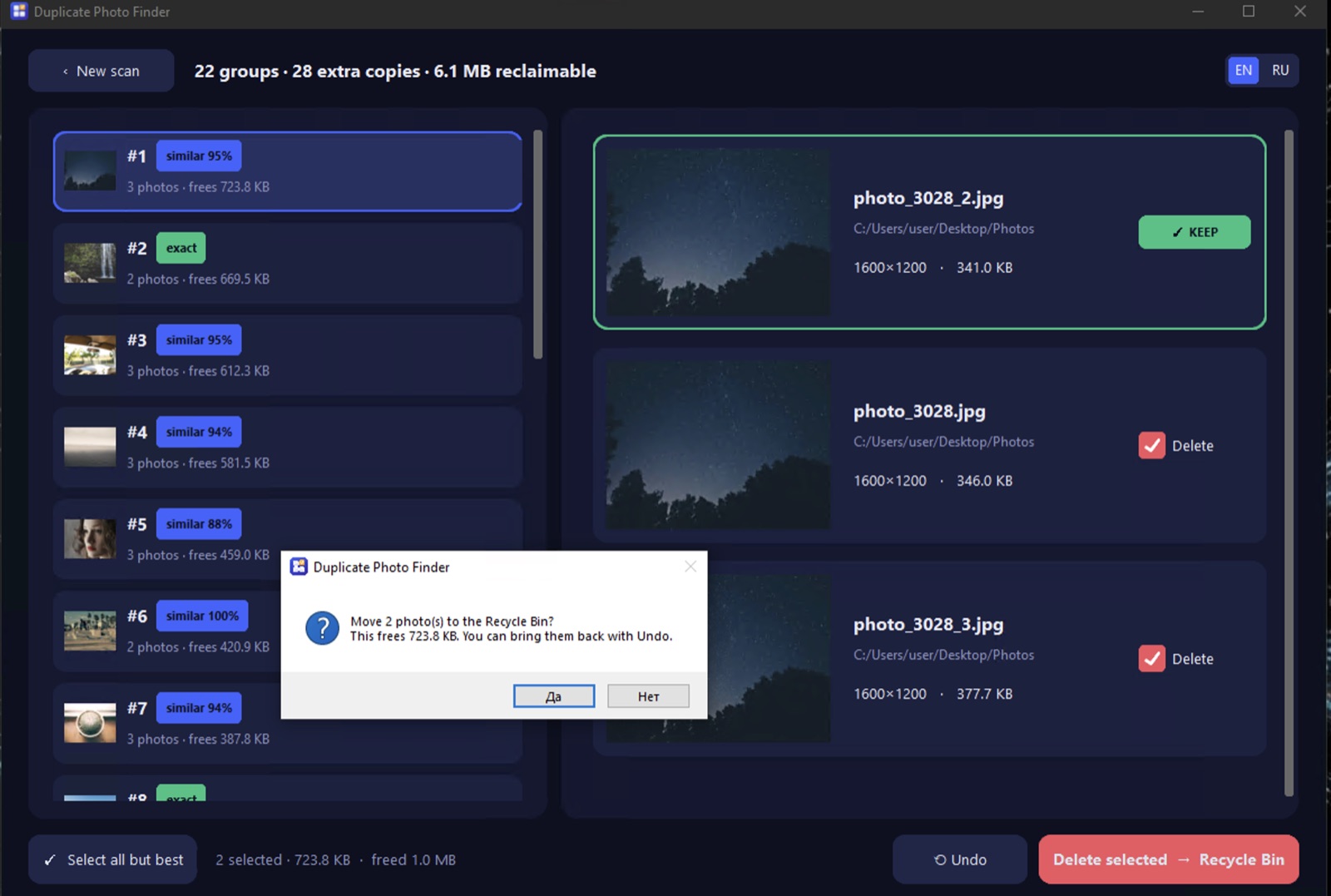
Before anything moves: a plain confirmation, straight to the Recycle Bin, reversible with Undo.
This is a desktop app, not a web service. There is no upload, no account and no telemetry — nothing about your library is ever sent anywhere. Disconnect the internet and it works exactly the same.
Scanning happens on your own PC. Photos are read locally and never leave the machine.
Install and open. There is no sign-up wall and nothing to register before you can use it.
No usage tracking, no analytics phone-home. Works completely offline, guaranteed.
Real screenshots of the dark Windows interface, from first scan to safe cleanup.
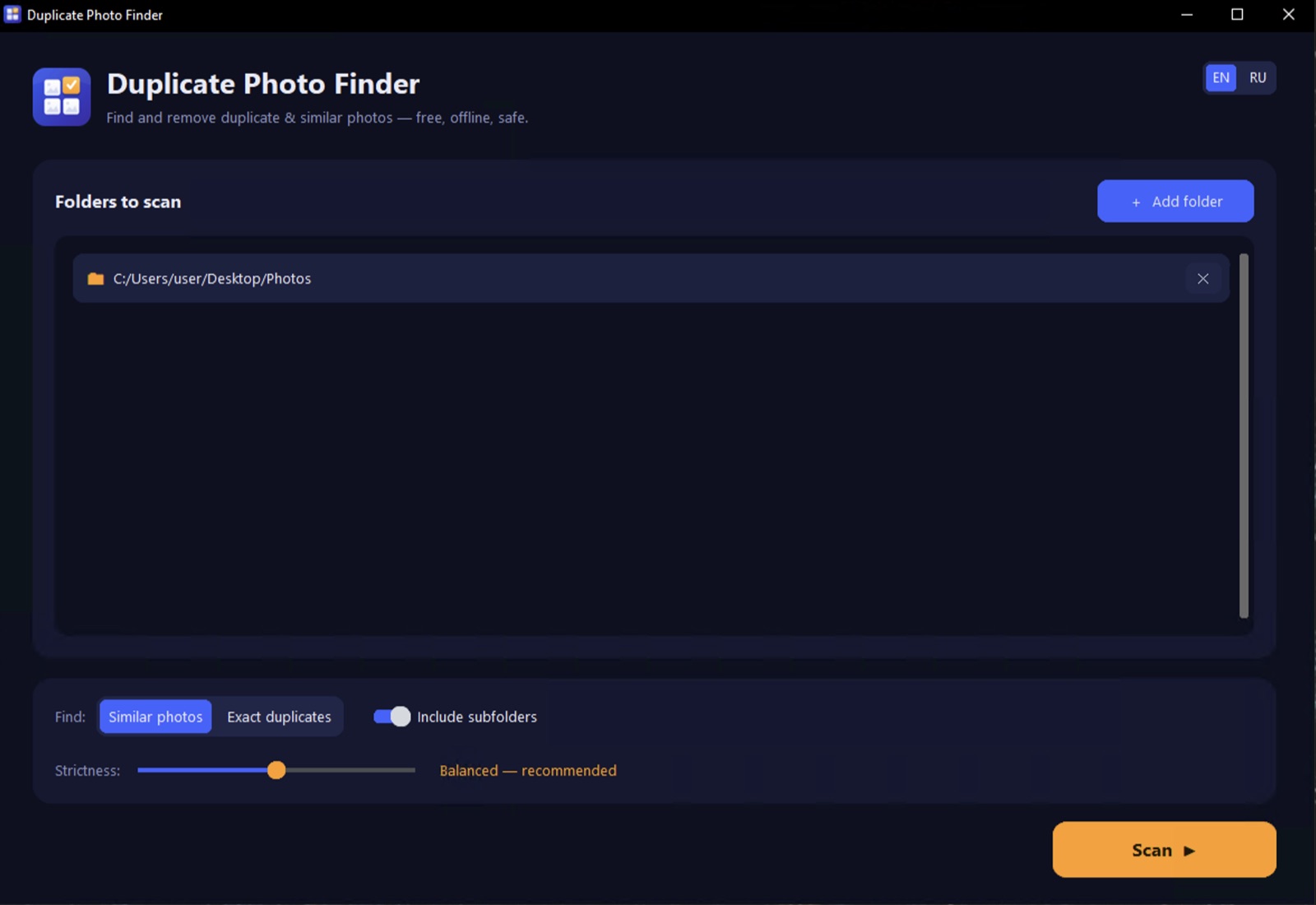
A straight, no-spin look at the best free duplicate photo finder for Windows 11 versus the paid apps and the abandoned free ones.
| Feature | Duplicate Photo Finder | Paid tools (e.g. Duplicate Photo Cleaner) | Old free tools |
|---|---|---|---|
| Delete for free | ✅ Yes, no limit | ❌ Trial caps delete | ✅ but abandoned |
| Finds similar images | ✅ | ✅ | ⚠️ weak / exact-only |
| Recycle Bin + Undo | ✅ | Varies | ⚠️ often permanent |
| Offline / no account | ✅ | Varies | Varies |
| Maintained in 2026 | ✅ | ✅ | ❌ ~2012 |
| Price | Free | $39.95+ | Free |
Honest positioning: paid duplicate photo cleaners are capable tools — you just pay $39.95 and up, and the free trial usually blocks the actual delete. The classic free apps are genuinely free but many stopped updating around 2012 and delete permanently. Duplicate Photo Finder aims to be the free, maintained, Recycle-Bin-safe middle ground.
Your duplicate photo finder free download for Windows 10 and 11 — duplicate photo finder software in a tiny installer with no bloat and no admin prompt, done in seconds.
Yes — free forever. No trial, no Pro, no delete cap, no watermark, no ads and no sign-up. The delete button costs nothing. The full version is the free version, so there's no license key to buy and nothing to crack.
Yes. Paid duplicate photo cleaners typically let you scan for free but charge to delete (often $39.95+). Duplicate Photo Finder deletes for free with no limit — so if you were asking "is Duplicate Photo Cleaner free," this is the free tool that does the delete part for you.
No. Copies are moved to the Windows Recycle Bin — never hard-deleted — and there's a one-click Undo for the last batch. You approve every pick in a side-by-side preview, and the sharpest, highest-resolution copy is auto-kept. Nothing is lost for good.
No. It runs 100% offline — no upload, no account, no telemetry. Your photos never leave your PC. You can disconnect the internet entirely and it works exactly the same.
The installer is published on GitHub Releases, and you can review the repository before installing. It's unsigned, so Windows SmartScreen may warn on first run — choose More info → Run anyway, or verify via GitHub first. There are no bundled toolbars or "PC cleaner" upsells.
Both. It finds exact duplicate photos and visually similar images — burst frames, resized/messenger copies, screenshots and lightly edited versions — then groups them so you can delete duplicate photos and near-duplicates in one pass.
Yes — Windows 11, 10, 8 and 7 (64-bit). The installer is about 33 MB and installs per user, so you don't need admin rights.
Get back the storage those duplicates and burst shots are eating, without paying to delete and without risking a single memory. One free download, no sign-up.
Download Free for Windows